
CS50 Week 9 Flask — Building a Birthday Tracker with Full CRUD and Custom CSS
- Parsa Dev
- 4 days ago
- 2 min read

Updated: 16 hours ago
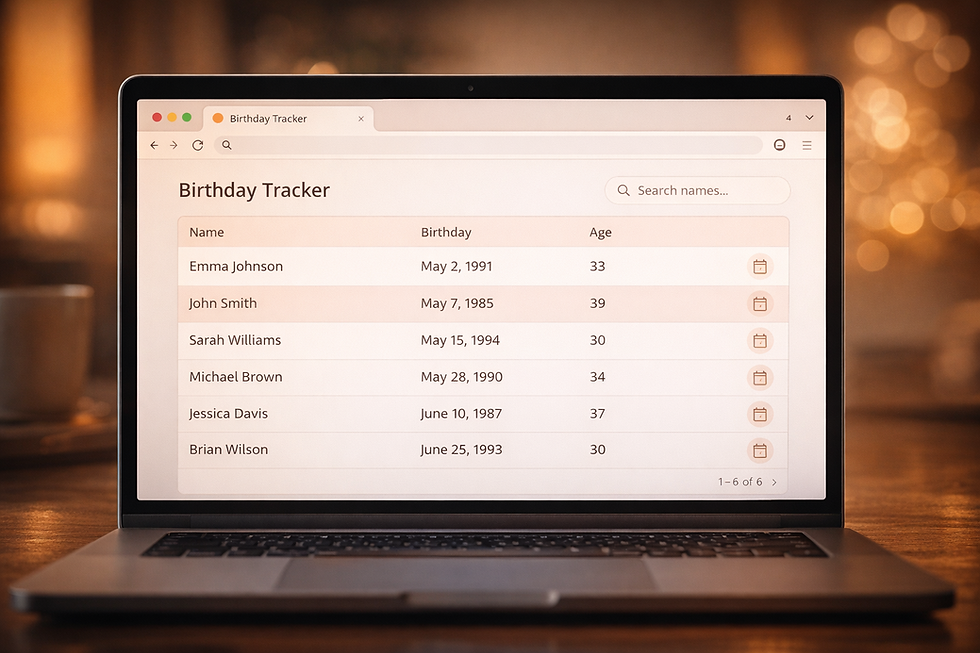
Before tackling the Finance problem set, CS50 Week 9 Flask starts with something a bit more approachable — a birthday tracker web application. On the surface it sounds simple: store a name, a month, and a day in a SQLite database and display them in a table. But the moment you start thinking about what happens when someone submits an empty form, enters letters instead of numbers, or tries to break your input validation, you quickly realise there's a lot more engineering involved than it first appears. This CS50 Week 9 Flask birthday tracker was my proper introduction to Flask, and it genuinely changed how I think about building things for the web.
The core of the CS50 Flask birthday app is a single route that handles both GET and POST requests — GET to display all birthdays from the SQLite database, and POST to add a new one. I added full server-side validation to catch blank fields, non-numeric values, and out-of-range months and days before anything touches the database. Beyond the basic requirements, I extended the app with full CRUD functionality — edit and delete — which meant building additional routes, passing state between templates using Jinja2, and conditionally rendering inline edit forms directly inside the table rows. That edit_id pattern — passing the ID of the row being edited to the template so Jinja knows which row to render as a form — was a genuinely clever solution that taught me a lot about how Flask and Jinja2 communicate.
What I'm particularly proud of in this CS50 Week 9 Flask project is the custom CSS theme. Rather than leaving the default styles untouched, I built a full custom theme called "Serene Skies" using warm peach and slate tones with the Ubuntu font from Google Fonts. The sections have a subtle hover animation, the table rows alternate in soft peach, and the overall feel is warm and approachable rather than the usual cold Bootstrap grey. It's a small thing in the grand scheme of a CS50 Flask problem set, but attention to visual detail matters — a well-presented app feels more credible, more usable, and frankly more enjoyable to build. CS50 Week 9 Flask made it clear that full-stack development isn't just about making things work, it's about making things work well.


Comments